View Tables Overview
Note: Knowledge of SQL (Structured Query Language) is necessary in order to construct queries according to SQL programming conventions.
The View Tables function allows users to perform SQL queries on the Juris database.
- Open Juris>Setup and Manage>View Tables. See Figure 1.0
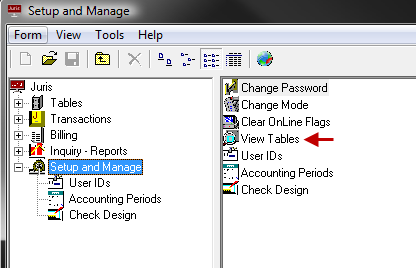 Figure 1.0
 - Type in or paste the query that needs to be run in the space provided.
- Click the exclamation icon to run the query. Results
will be displayed in the spreadsheet. See Figure 2.0
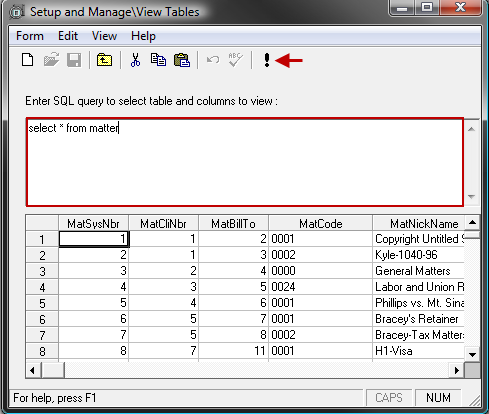 Figure 2.0
 - Use the scroll bars to view all the associated columns.
- The results can be copied from Juris and pasted into Excel, Word or other software, if desired.