PAT
Print Accumulated Total: This Property prints the total of accumulated balances for Accounts which have been set to Accumulate rather than Print in Financial Statement Layouts.
Note: The listed steps assume you are in a Financial Statement form.
- Select PAT from the property box. See Figure 1.0
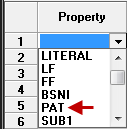 Figure 1.0
 - Enter PAT Text i.e., 'Total Income', Total Expenses'.
- Select Print Column (1,2,3) based on Statement Type.
- Select the Parenthesis Control (Debit or Credit) i.e., use parenthesis when balance is Debit or Credit.
- From the Form Menu, select Save or click on Save button. See Figure 2.0
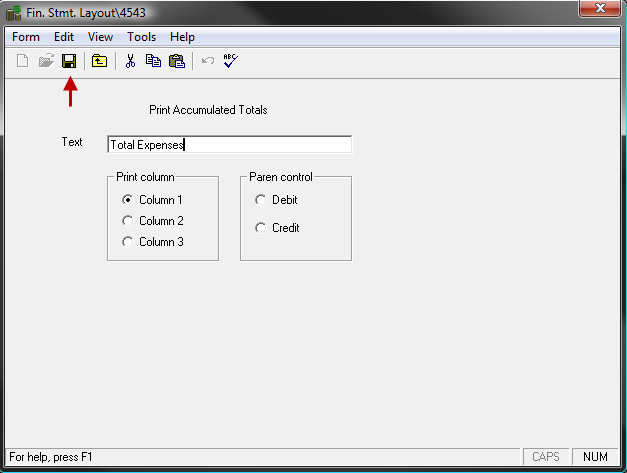 Figure 2.0
 Related Topics