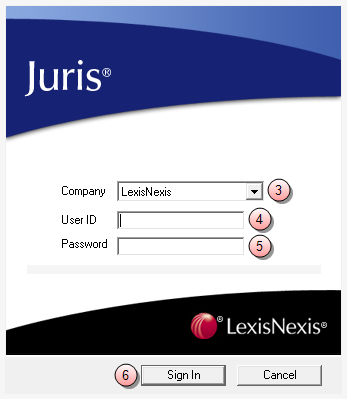
Sign into Juris
To sign into Juris:
- Click the Windows Start button.
- Select All Programs > Juris > Juris to open the login window.
-
Click the Company arrow and select the company database in which you want to work.
NOTE: The Company box is only visible if your firm has multiple databases to which Juris is connected. If you do not see the Company box, skip step 3.
- In the User ID box, type the name you use to sign into Juris.
- In the Password box, type your Juris password.
-
Click Sign In.
The Juris main window opens.
NOTE: If Juris does not allow you to sign in, contact your system manager or administrator.